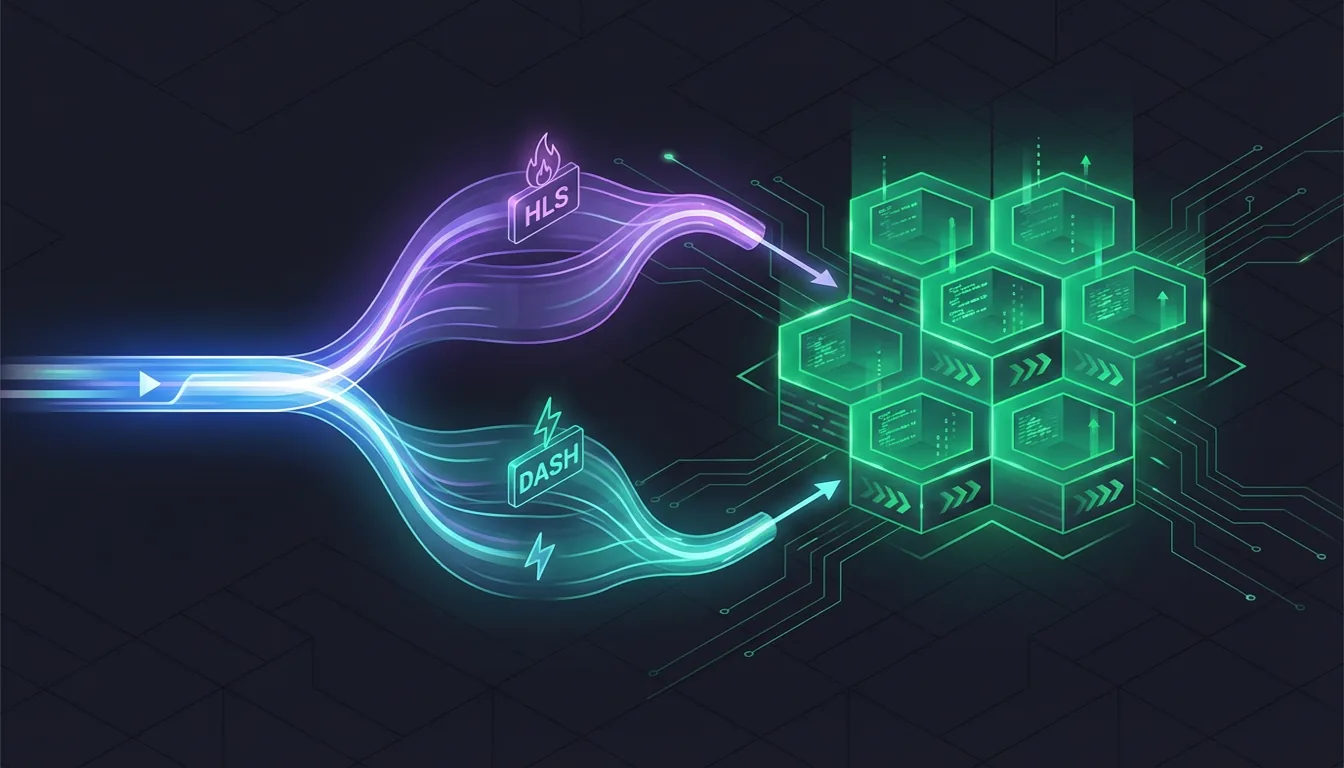
CMAF Explained: One Encode, Both HLS and DASH
CMAF lets you encode video once and serve both HLS and DASH from the same segments — cutting storage costs and encoding time in half.
If you deliver adaptive video to both Apple devices and the rest of the ecosystem, you have likely encountered the duplication problem: HLS traditionally uses MPEG-TS segments, DASH uses fragmented MP4 segments, and supporting both means encoding your content twice and storing two complete sets of segment files for every rendition.
CMAF eliminates this duplication. It is one of the simplest optimizations available for video delivery, and it cuts encoding time and segment storage roughly in half.
The duplication problem
Adaptive bitrate streaming works by dividing encoded video into small segments (typically 2-6 seconds each) and describing those segments in a manifest file. The player downloads the manifest, evaluates the viewer’s network conditions and device capabilities, and requests segments from the appropriate quality level.
The two dominant adaptive streaming protocols handle this differently:
HLS (HTTP Live Streaming), developed by Apple, originally required MPEG-TS (.ts) container format for segments. MPEG-TS was designed for broadcast television — it is robust and well-suited for streaming, but it is a different container format than the MP4 family.
DASH (Dynamic Adaptive Streaming over HTTP), an international standard (ISO/IEC 23009-1), uses fragmented MP4 (.m4s or .fmp4) segments. Fragmented MP4 is an extension of the standard MP4 container that supports segmented delivery.
When you need to serve both protocols — HLS for Safari/iOS and DASH for everything else — the traditional approach looks like this:
Source video
    |
    +---> Encode to MPEG-TS segments ---> HLS manifests (.m3u8)
    |
    +---> Encode to fMP4 segments   ---> DASH manifests (.mpd)
Every rendition in your ABR ladder is encoded twice and stored twice. If you have 5 quality rungs, you end up with 10 sets of segments on your origin server. The encoding compute doubles. The storage doubles. Cache efficiency on your CDN drops because you have two copies of effectively the same content competing for cache space.
For a platform with a large content library and a multi-rung ABR ladder, this duplication is a significant cost driver.
What is CMAF?
CMAF (Common Media Application Format) is a standard published as ISO/IEC 23000-19. It was jointly developed by Apple and Microsoft — notably, a collaboration between the companies behind HLS and Smooth Streaming respectively — and first published in 2018.
The core idea is simple: define a single segment format that both HLS and DASH can use. That format is fragmented MP4 (fMP4), which was already the native segment format for DASH. The key enabler was Apple adding fMP4 support to HLS in 2016 (starting with iOS 10 and Safari 10), removing the hard requirement for MPEG-TS segments.
With CMAF, the architecture becomes:
Source video
    |
    +---> Encode to fMP4 segments (once)
              |
              +---> Generate HLS manifest (.m3u8)
              +---> Generate DASH manifest (.mpd)
              |
              Both manifests reference the SAME segment files
One encoding pass. One set of segment files. Two manifests. The manifests themselves are small text files — a few kilobytes each. The segments, which contain the actual encoded video data and constitute 99.9%+ of the storage, exist only once.
How it works in practice
Segment structure
A CMAF segment is a standard fragmented MP4 file containing:
- Initialization segment (init.mp4): Contains the codec configuration, track information, and decryption metadata. Downloaded once at the start of playback.
- Media segments (segment_001.m4s, segment_002.m4s, …): Each contains a fixed duration of encoded video and/or audio data. Typically 2-6 seconds per segment.
The initialization segment and media segments are identical regardless of whether they are referenced by an HLS manifest or a DASH manifest. The player does not know or care which protocol was used to discover the segment URL — it downloads the same bytes either way.
Manifest generation
The two manifests serve the same purpose (describing available quality levels and segment URLs) but use different syntax:
HLS master playlist (master.m3u8):
#EXTM3U
#EXT-X-VERSION:7
#EXT-X-STREAM-INF:BANDWIDTH=5000000,RESOLUTION=1920x1080,CODECS="avc1.640028"
1080p/playlist.m3u8
#EXT-X-STREAM-INF:BANDWIDTH=2800000,RESOLUTION=1280x720,CODECS="avc1.64001f"
720p/playlist.m3u8
#EXT-X-STREAM-INF:BANDWIDTH=1400000,RESOLUTION=854x480,CODECS="avc1.4d401e"
480p/playlist.m3u8
DASH manifest (manifest.mpd):
<MPD type="static" mediaPresentationDuration="PT600S">
  <Period>
    <AdaptationSet mimeType="video/mp4" codecs="avc1.640028">
      <Representation id="1080p" bandwidth="5000000" width="1920" height="1080">
        <SegmentTemplate media="1080p/segment_$Number$.m4s" initialization="1080p/init.mp4"/>
      </Representation>
      <Representation id="720p" bandwidth="2800000" width="1280" height="720">
        <SegmentTemplate media="720p/segment_$Number$.m4s" initialization="720p/init.mp4"/>
      </Representation>
      <Representation id="480p" bandwidth="1400000" width="854" height="480">
        <SegmentTemplate media="480p/segment_$Number$.m4s" initialization="480p/init.mp4"/>
      </Representation>
    </AdaptationSet>
  </Period>
</MPD>
Both manifests reference the same segment files (e.g., 1080p/segment_001.m4s). Generating the second manifest is computationally trivial — it is just writing a text file based on the same encoding metadata.
File layout on the origin
A typical CMAF output structure looks like this:
output/
  master.m3u8              # HLS master playlist
  manifest.mpd             # DASH manifest
  1080p/
    init.mp4               # Initialization segment
    playlist.m3u8          # HLS media playlist for this rendition
    segment_001.m4s        # Media segment (shared)
    segment_002.m4s
    ...
  720p/
    init.mp4
    playlist.m3u8
    segment_001.m4s
    segment_002.m4s
    ...
  480p/
    init.mp4
    playlist.m3u8
    segment_001.m4s
    segment_002.m4s
    ...
The only protocol-specific files are the manifests and per-rendition playlists. The actual video data — the segments — are shared.
The savings
Storage
With CMAF, you store one set of segments instead of two. For a platform with a large content library, this is a straightforward 50% reduction in segment storage.
Consider a 10,000-hour catalog encoded at 5 quality rungs with an average bitrate of 3 Mbps:
| Approach | Segment storage |
|---|---|
| Separate HLS (TS) + DASH (fMP4) | ~135 TB |
| CMAF (shared fMP4) | ~67.5 TB |
At $0.023/GB (S3 standard), that is a saving of roughly $1,550 per month — just on storage, before accounting for CDN cache efficiency improvements.
Encoding time
With separate HLS and DASH, you run the encoder twice for each rendition (or at minimum, the muxing step twice). With CMAF, you encode once and mux once. The actual encoding (the compute-intensive part) is halved.
CDN cache efficiency
When your CDN caches a CMAF segment, that cached copy serves both HLS and DASH requests. With separate formats, an HLS request and a DASH request for the same content at the same quality level hit different cache keys, reducing your effective cache hit ratio.
This is harder to quantify precisely — it depends on your CDN configuration, content popularity distribution, and cache capacity — but the improvement is real and meaningful, especially at the edges of your CDN where cache capacity is most constrained.
CMAF and DRM
One of CMAF’s practical advantages is simplified DRM encryption. CMAF supports two encryption schemes:
CENC (Common Encryption Scheme): Used by Widevine (Google) and PlayReady (Microsoft). Uses CTR-mode AES encryption.
CBCS (Common Byte-range Block Cipher Scheme): Used by FairPlay (Apple). Uses CBC-mode AES encryption with pattern encryption (encrypting only a subset of bytes).
In the traditional separate-format approach, you would encrypt MPEG-TS segments for FairPlay and fMP4 segments for Widevine/PlayReady, resulting in three separate encrypted renditions.
CMAF simplifies this significantly. Modern implementations use CBCS encryption, which is now supported by all three major DRM systems:
- FairPlay: Native CBCS support
- Widevine: CBCS support added in Chrome 69+ and Android 8+
- PlayReady: CBCS support added in PlayReady 4.0+ (Windows 10, Xbox)
With CBCS-encrypted CMAF segments, you can serve a single set of encrypted segments to all three DRM systems. The only DRM-specific elements are the license acquisition URLs in the manifests, not the segment data itself.
For older devices that require CENC encryption for Widevine/PlayReady, you may need to maintain a separate CENC-encrypted copy alongside CBCS. But for most modern device targets, CBCS-only CMAF serves all DRM systems from a single set of segments.
Device and player support
CMAF support is effectively universal for any device manufactured since 2016.
HLS with fMP4 support
| Platform | fMP4 in HLS since | Year |
|---|---|---|
| iOS / iPadOS | iOS 10 | 2016 |
| Safari (macOS) | Safari 10 | 2016 |
| tvOS | tvOS 10 | 2016 |
Apple has supported fMP4 segments in HLS for a decade. The only devices that still require MPEG-TS are those running iOS 9 or earlier — hardware from 2015 and before.
DASH with fMP4 support
All DASH implementations use fMP4 natively. There is no compatibility concern on the DASH side.
Player library support
| Player | CMAF support | Notes |
|---|---|---|
| hls.js | Yes | Most common open-source HLS player for web |
| dash.js | Yes | Reference DASH player |
| Shaka Player | Yes | Google’s open-source player, supports both HLS + DASH |
| ExoPlayer | Yes | Standard Android media player |
| AVPlayer | Yes | Native iOS/macOS player |
| Video.js (with plugins) | Yes | Via hls.js or dash.js plugins |
Every major player library in active development supports CMAF. If you are using any reasonably modern player, CMAF segments will work without configuration changes.
Low-latency CMAF
A notable extension of CMAF is LL-CMAF (Low-Latency CMAF), which enables sub-3-second glass-to-glass latency for live streaming. Traditional HLS and DASH have latency of 15-30 seconds because the player must wait for complete segments to be written and made available.
LL-CMAF addresses this with chunked transfer encoding. Instead of waiting for a complete 6-second segment, the encoder and CDN deliver the segment progressively in small chunks (typically 200-500ms each). The player can begin decoding as soon as the first chunk arrives, dramatically reducing latency.
Both Apple (LL-HLS) and DASH-IF (LL-DASH) have adopted LL-CMAF as the basis for their low-latency streaming specifications. The shared segment format means low-latency live streams can also use a single set of segments for both protocols.
Low-latency streaming is primarily relevant for live content — sports, news, interactive events. For VOD (video on demand), standard CMAF with typical segment durations is the right choice.
CMAF with Transcodely
Transcodely supports CMAF through the adaptive output format. When you specify "format": "adaptive", the API generates shared fMP4 segments with both HLS (.m3u8) and DASH (.mpd) manifests pointing to the same segment files.
{
  "source_url": "https://storage.example.com/raw/lecture-series-ep12.mp4",
  "outputs": [
    {
      "format": "adaptive",
      "codec": "h264",
      "quality": "standard",
      "resolutions": ["1080p", "720p", "480p"],
      "thumbnails": {
        "interval_seconds": 30,
        "width": 320,
        "format": "sprite"
      }
    }
  ],
  "storage": {
    "provider": "s3",
    "bucket": "my-video-origin",
    "path": "content/{job_id}/"
  },
  "webhook_url": "https://api.example.com/hooks/transcode"
}
The output structure on S3 will contain:
master.m3u8— HLS master playlistmanifest.mpd— DASH manifest- Per-rendition directories with shared fMP4 segments
- Thumbnail sprite sheet
One encoding job, one set of segments, both streaming protocols. If you later add a second codec (e.g., AV1 alongside H.264), the adaptive format handles multi-codec manifests as well — HLS and DASH manifests that list both H.264 and AV1 renditions, all sharing the CMAF segment structure.
Multi-codec CMAF example
{
  "source_url": "https://storage.example.com/raw/feature-film.mp4",
  "outputs": [
    {
      "format": "adaptive",
      "codecs": ["h264", "av1"],
      "quality": "standard",
      "resolutions": ["1080p", "720p", "480p"]
    }
  ],
  "storage": {
    "provider": "gcs",
    "bucket": "video-origin",
    "path": "films/{job_id}/"
  },
  "webhook_url": "https://api.example.com/hooks/transcode"
}
The player receives manifests that advertise both codec options at each resolution. Devices with AV1 decode support select the AV1 rendition (smaller files, faster startup); older devices fall back to H.264. All segments are fMP4, all referenced by both the HLS and DASH manifests.
When to use CMAF vs separate HLS and DASH
Use CMAF (almost always):
- You need both HLS and DASH delivery
- Your audience uses devices from 2016 or later
- You want to minimize storage and encoding costs
- You are implementing DRM with modern encryption (CBCS)
Use separate HLS with MPEG-TS only if:
- You must support Apple devices running iOS 9 or earlier (2015 and before)
- You have a specific requirement for MPEG-TS containers (some broadcast workflows)
- Your existing CDN or player infrastructure cannot handle fMP4 in HLS (rare in 2026)
Use a single protocol (HLS or DASH only) if:
- Your audience is exclusively Apple devices (HLS only) or exclusively non-Apple (DASH only)
- You do not need cross-platform streaming support
For the vast majority of video platforms in 2026, CMAF is the correct default. It reduces costs, simplifies infrastructure, and improves CDN efficiency with no meaningful compatibility trade-offs.
If you are looking for additional ways to reduce video delivery costs beyond CMAF, see our guide to 6 strategies for reducing video encoding costs. And for understanding how adaptive streaming protocols work with different codecs, our HLS streaming pipeline guide covers the end-to-end architecture.
Try it on your own footage
Upload a clip, pick a ladder, and read the manifest that comes back. Test encodes up to 30 seconds are free.